Red Light on Modem in Salalah — Real Causes & Same Day Fix
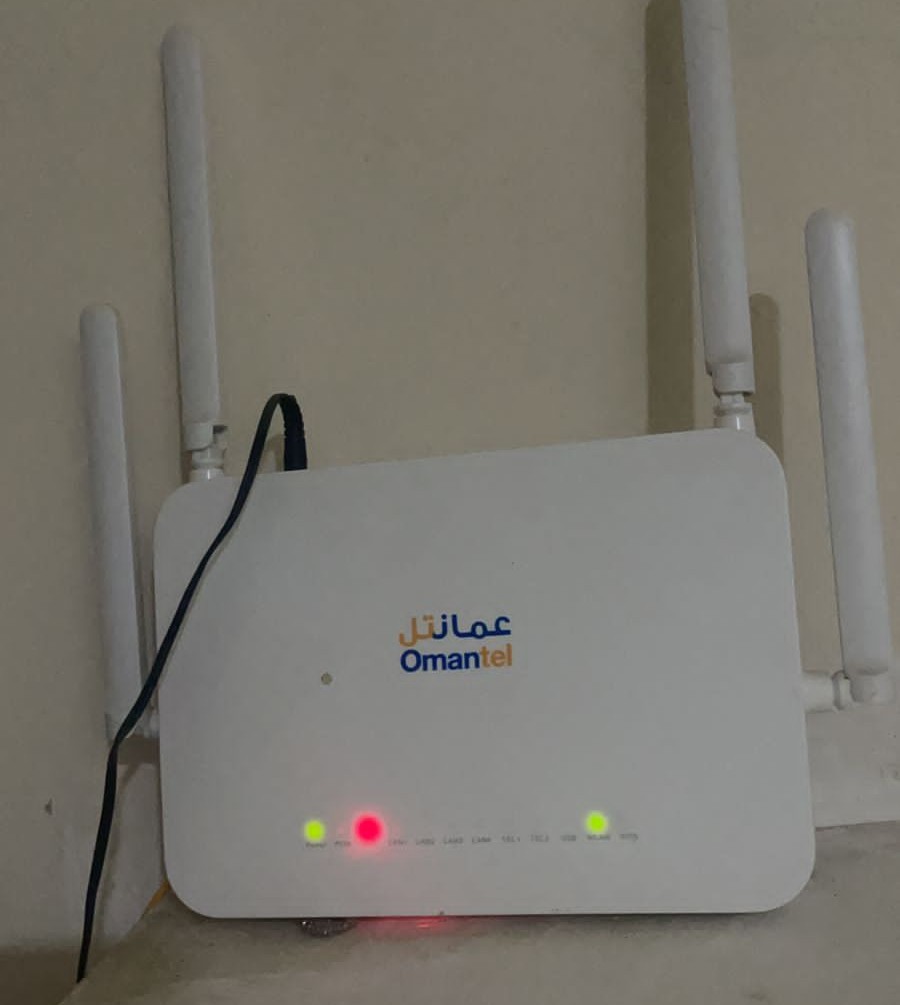
If you are in Salalah and your Omantel or Ooredoo modem is showing a red light, you are not alone. This is one of the most common calls we receive at NetFixSalalah. In most cases, the problem is a fiber issue — and it can be fixed the same day.
Here are two real cases we handled recently in Salalah that will help you understand exactly what might be happening in your home or office.
Real Case 1: The Painter Who Cut the Fiber
A customer called us — red light on the modem, no internet, no WiFi. When we arrived, we found that a painter had been working inside the house. He didn't know what the small fiber cable box on the wall was, so he simply moved it aside to paint behind it. The fiber cable inside snapped.
This is more common than you think. Fiber optic cables are extremely thin and sensitive. Even a small bend or pull can break the glass fiber inside — even if the outer plastic coating looks completely fine.
We opened the fiber splice box, re-spliced the broken fiber, and the modem went green immediately. Internet and WiFi were back — same day, within two hours of the call.
Lesson: If any worker — painter, plumber, AC technician — has recently been in your home and you suddenly get a red light, the fiber cable may have been accidentally disturbed.
Real Case 2: The Modem That Fell Down
A family called us — their child had accidentally pulled the Omantel modem off the shelf and it fell to the floor. Red light immediately appeared. The modem itself looked fine, and even the yellow patch cord cable appeared undamaged from the outside. But the internet was completely dead.
When we arrived, we used a power meter to test the fiber signal. The signal from Omantel's side was coming in perfectly — so the issue was not with the main fiber line outside.
We then tested the patch cord — the short yellow cable that connects the fiber wall socket to the modem — by replacing it with a new one. The power loss disappeared immediately. The PON light turned stable green, and the WiFi came back online.
What had happened? The patch cord looked fine on the outside, but the glass fiber inside had snapped from the impact of the fall. This is invisible to the naked eye — only a power meter can detect it.
Fixed same day. New patch cord, green light, happy family.
What Does a Red Light on Your Modem Actually Mean?
- 🔴LOS (Loss of Signal) — The modem is not receiving any fiber signal. Usually a cut or damaged cable somewhere.
- 🟡PON light off or blinking — The fiber connection between your modem and the exchange is broken or unstable.
- ✂️Fiber cut — External damage from construction, renovation, or accidental movement.
- 🔌Damaged patch cord — The short yellow cable at your wall socket is broken internally, even if it looks fine outside.
- 🏗️Construction damage — Road work or building work near your area may have cut the main fiber line.
What Should You Do First?
1. Check the patch cord
Look at the short yellow cable connecting the wall socket to your modem. Gently reseat both ends. If it was recently disturbed, try replacing it — these are inexpensive.
2. Check the fiber box on the wall
If there is a small white or gray box on your wall where the fiber enters, make sure it has not been moved, hit, or opened.
3. Call NetFixSalalah
If the red light stays on after checking these things, the fault is inside the cable or at the splice point — and you need a technician with a power meter and splicing equipment. We are based in Salalah and can usually come the same day.
Red Light on Your Modem in Salalah?
We carry power meters, fiber splicing equipment, and patch cords. Same day service in Salalah.