WiFi Signal Weak Upstairs? This Is Why — A Real Fix Story from Salalah
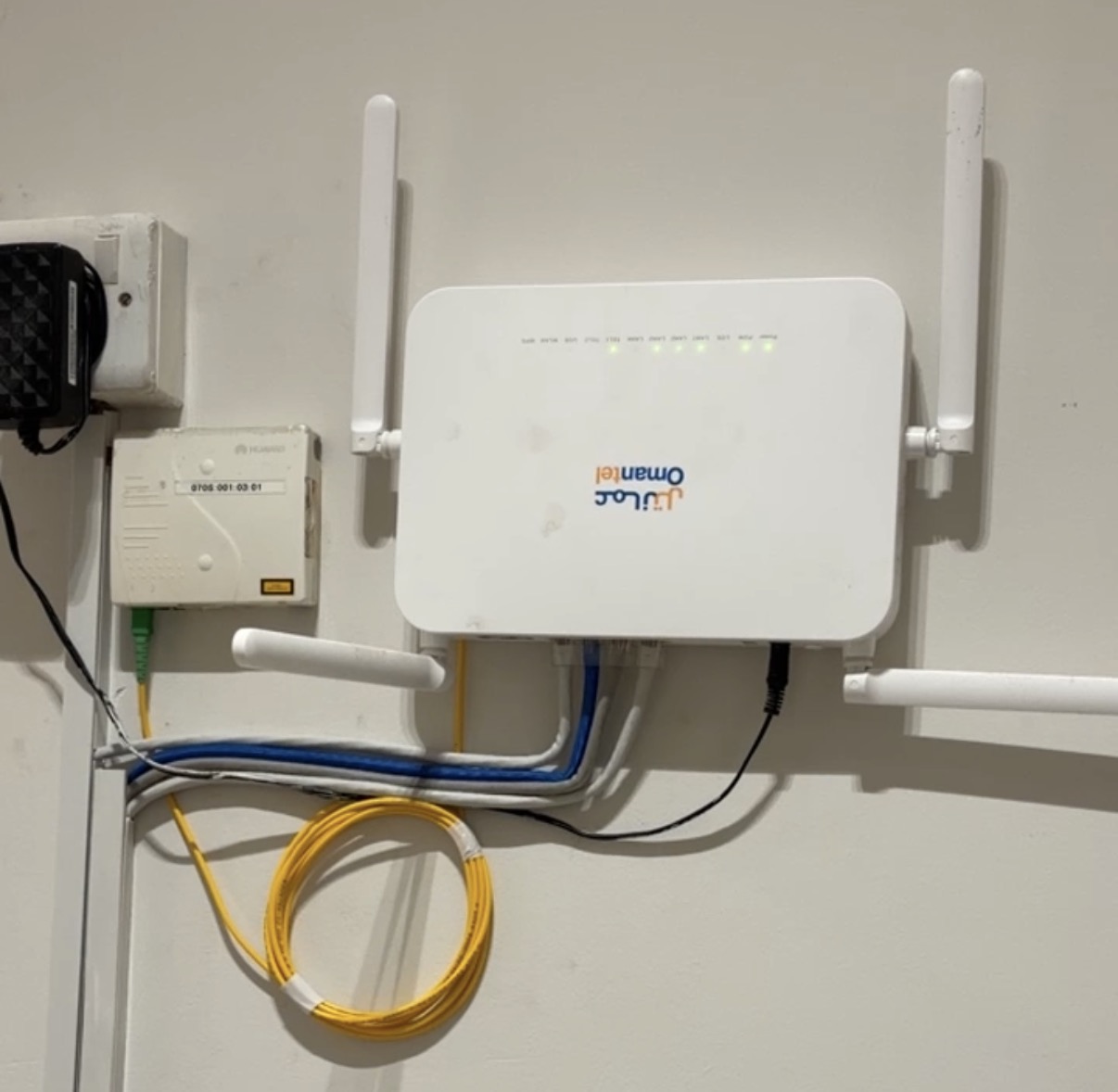
It was a few days before the FIFA World Cup. A customer called me from Salalah — his WiFi signal was weak on the second floor of his home, and he wanted everything sorted before the tournament started. He had a full Omantel fiber package, but on the upper floor, the speed was almost unusable. Videos were buffering. The signal bar on his phone showed one or two bars at best.
I went the same day. Here is exactly what I found, what I checked, and how I fixed it — including the final result that made him genuinely happy.
Step 1 — Diagnosing the Omantel Modem
The first thing I always do is check the source. There is no point looking at the WiFi signal if the modem itself has a problem. I logged into the Omantel modem interface and checked two things: the frequency bands and the WiFi channels being used.
Both the 2.4GHz and 5GHz bands were active and configured correctly. The channels were clean — no major interference from neighbouring networks. The modem was receiving the full fiber signal from Omantel. So the modem was not the problem.
Fiber signal: ✅ Full · Frequency bands: ✅ Normal · Channel congestion: ✅ Clear · Modem fault: ❌ None — modem was working perfectly.
This is actually a very common situation in Salalah homes. People assume the modem or Omantel is the problem when the internet is slow upstairs — but often the modem is completely fine. The real issue is something else entirely.
Step 2 — Understanding the Real Problem
WiFi signals lose strength as they travel through walls, ceilings, and floors. In a two-storey home, the router on the ground floor is typically placed in one corner — often near the main door or the TV area. By the time the WiFi signal travels up through a concrete ceiling and across the upper floor, it has lost a significant portion of its strength.
In Salalah, most homes are built with thick concrete and cement walls. This makes the signal loss much worse than in homes built with lighter materials. The Omantel modem router, while good enough for one floor, simply cannot push a strong WiFi signal through a concrete ceiling and cover an entire second floor.
Adding to the problem: the customer's bedrooms, where he wanted to watch the World Cup on his smart TV, were at the far end of the upper floor — the maximum possible distance from the ground floor router.
Step 3 — The Solution: Wired Backbone + Two AX1500 Routers
I could have suggested a WiFi extender or repeater. But I never recommend these for a permanent solution. A repeater only rebroadcasts whatever signal it receives — if the signal arriving at the repeater is already weak, the extended signal will be even weaker. Speed is cut in half. Buffering continues.
The right solution for a two-floor home is a wired network backbone — a physical cable running from the ground floor to the upper floor — with a proper router at each level.
Pull a new Cat6 ethernet cable from the Omantel modem on the ground floor, through the existing underground conduit pipe, up to the second floor. Install one TP-Link AX1500 WiFi 6 router on the ground floor and one on the second floor. Both connected by wire. Both serving full-speed WiFi on their respective floors.
Step 4 — Pulling the Cat6 Cable
The house already had conduit pipes built into the walls — this is common in Salalah homes. I used these existing pipes to pull a new Cat6 cable from the ground floor to the second floor. Cat6 cable supports gigabit speeds and is the right choice for any home network upgrade today.
The cable run was clean. I terminated both ends with RJ45 connectors, tested the cable, and confirmed we had a solid gigabit connection between the two floors.
Equipment Used
- 1. Cat6 ethernet cable — pulled through existing conduit
- 2. TP-Link AX1500 WiFi 6 Router × 2
- 3. RJ45 connectors + cable tester
- 4. Existing Omantel fiber modem (kept as main gateway)
Step 5 — Configuring Both Routers
I configured the ground floor AX1500 as the main router — connected directly to the Omantel modem. The second floor AX1500 was configured in Access Point mode, connected to the ground floor router via the new Cat6 cable.
Both routers were set up with the same WiFi name (SSID) and password. This means the customer's devices — phones, smart TVs, laptops — automatically connect to whichever router gives the strongest signal. On the ground floor, the ground floor router handles it. Walk upstairs, and the device seamlessly switches to the second floor router. No manual switching, no disconnection, no drops.
I also configured the 5GHz band on both routers for the areas where the smart TV and main devices would be used — 5GHz gives much faster speeds for streaming, especially important for watching the World Cup in high quality without buffering.
The Result
Before vs After
The customer tested his speed on both floors — same fast speed everywhere. He connected his smart TV on the second floor and tested a 4K stream. No buffering. Perfect picture. He was happy — and ready for the World Cup.
This entire job was done in a single visit, same day as the call. From diagnosis to final testing, it took around three hours.
Is Your WiFi Weak Upstairs? Here Is What You Should Know
If you live in a two-floor home in Salalah and your WiFi signal is weak on the upper floor, the Omantel modem is almost certainly not the problem. The issue is physical — concrete walls and ceilings blocking the radio signal.
A WiFi extender or repeater will give you a temporary partial fix, but you will still notice slow speeds and occasional drops. The proper solution is a wired cable between floors with a dedicated router or access point on the upper level.
If you want full speed on every floor — the same speed you pay Omantel for — this is the setup you need. It is not complicated. It can be done in a single day. And once it is done, it works reliably for years without any ongoing issues.
Signs You Need a WiFi Upgrade at Home:
Your WiFi shows full bars on the ground floor but drops to one or two bars upstairs. Your smart TV or streaming device buffers even when your phone shows you have WiFi. Speed tests on the upper floor show much lower speeds than your Omantel package. Your WiFi drops completely in certain rooms.
If any of these describe your home, the fix is straightforward. Call or WhatsApp us and we will come to your home in Salalah, diagnose the issue, and give you an honest solution.
Weak WiFi at Home in Salalah?
Same day service · Full diagnosis · Proper wired solution · AX1500 installation available